Skip to content
The Things Stack documentation home
Getting Started Concepts Cloud Enterprise Integrations API Hardware
Getting Started Concepts
Cloud Enterprise
Integrations API Hardware
Get The Things Stack

    Recent searches

      Popular pages

      • Getting Started
      • Adding Gateways
      • Adding Devices
      • Payload Formatters
      • Webhooks
      • Authentication

      No results for “”.

      • Check the spelling, or try fewer or more general words.
      • Ask the community on The Things Network Forum
      • Contact support
      ↑↓ to navigate ↵ to open Esc to close

      Hardware

      • Overview
      • Devices
        • Adding Devices
        • Configuring Devices
          • Device location settings
          • MAC Settings
          • Class B Settings
          • Class C Settings
          • Multicast Groups
          • Downlink Queue Operations
          • Payload Crypto Override
          • Relay Settings
        • Concepts
        • Models
        • Troubleshooting Devices
      • Gateways
      • Works with The Things Stack

      Device location settings

      Updated 20 January 2025 Edit on GitHub
      Copy page
      • View as MarkdownThis page as plain text
      • Open in ChatGPTAsk questions about this page
      • Open in ClaudeAsk questions about this page

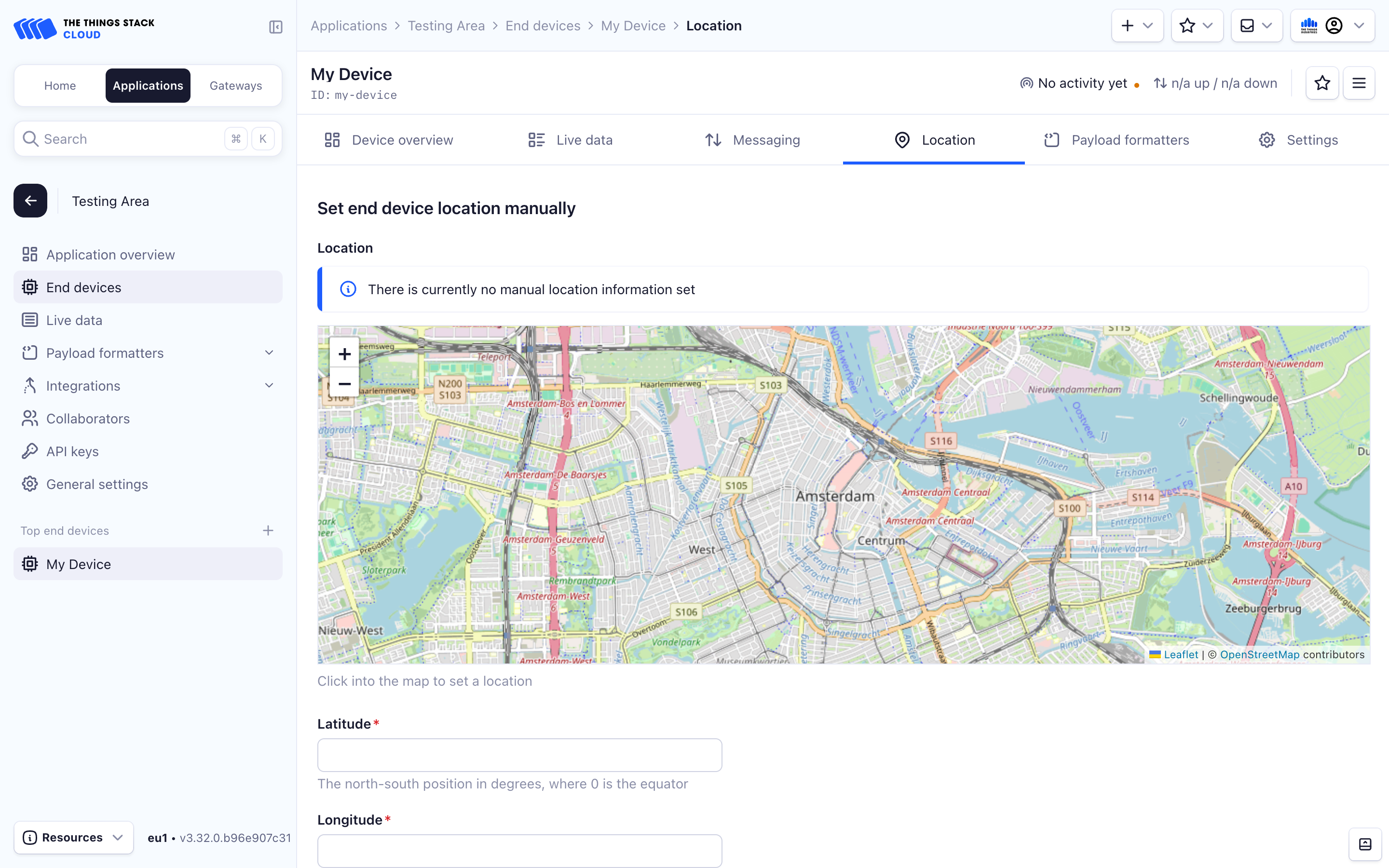
      Once you have added your end device to The Things Stack, you can also set its location to be displayed on a map widget.

      • Console
      • CLI

      To do this on the console, click the Change location settings option on the end device.

      The end device location can be manually set in two ways.

      1. Pinning the location on the map widget.
      2. Entering the Latitude, Longitude and Altitude values.

      Make sure you select Save Changes at the bottom of the page.
      Gateway location

      Once you have added your end device to The Things Stack, you can also set its location.

      Set your end device’s location with:

      LAT="43.84"
      LONG="18.32"
      ALT="500"
      ttn-lw-cli end-devices set $APP_ID $DEVICE_ID \
        --location.latitude $LAT \
        --location.longitude $LONG \
        --location.altitude $ALT \
      

      You can also set the end device location to be updated from various sources with the --location.source flag.

      The source of the location data can be the registry, GPS data, results of the LoRa RSSI geolocation, etc. Use ttn-lw-cli end-devices set $APP_ID $DEVICE_ID --help command to see the full list of the available location sources and other relatable info. If you set the alternative location source, the location settings you manually set will be overwritten by the automatic updates from that source.

      The CLI will return something like:

      {
        "ids": {
          "device_id": "dev1",
          "application_ids": {
            "application_id": "app1"
          },
          "dev_eui": "0004A30B001C0530",
          "join_eui": "800000000000000C"
        },
        "created_at": "2020-05-27T15:50:38.567Z",
        "updated_at": "2020-12-25T11:16:20.592Z",
        "locations": {
          "user": {
            "latitude": 43.84,
            "longitude": 18.32,
            "altitude": 500,
            "source": "SOURCE_REGISTRY"
          }
        }
      }
      
      ← Configuring Devices MAC Settings →

      Sections

      Getting Started

      Concepts

      Cloud

      Enterprise

      Integrations

      API

      Hardware

      Sitemap

      View our Sitemap

      Contributing

      GitHub

      About Us

      The Things Industries

      Privacy Policy

      Cookie settings

      Cookie Settings

      We use cookies to enhance your experience, analyze site traffic and deliver personalized content. Read our Privacy Policy.

      Cookie categories