NATS Client
This section explains how to configure a Pub/Sub integration using the built-in NATS client.
Creating a Pub/Sub integration with NATS requires you to have a NATS server running with an available endpoint. See the NATS Documentation for more information about configuring a NATS server.
No API key is needed for Pub/Sub messaging. All messages received by the Application Server are assumed to be authorized, so be sure to configure appropriate security on your NATS server.
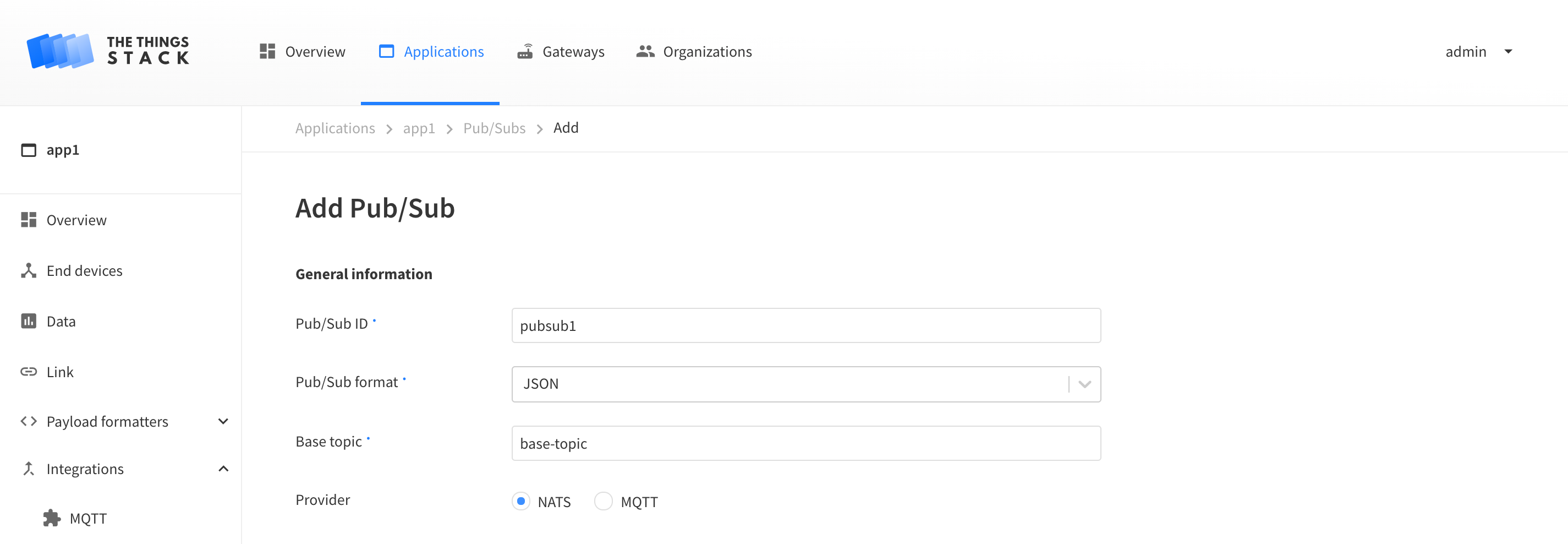
In your application select the Pub/Subs submenu from the Integrations side menu. Clicking on the + Add Pub/Sub button will open the Pub/Sub creation screen.
Give your Pub/Sub an ID, choose a Pub/Sub format, and enter a Base topic to subscribe or publish to.
Select NATS as provider.
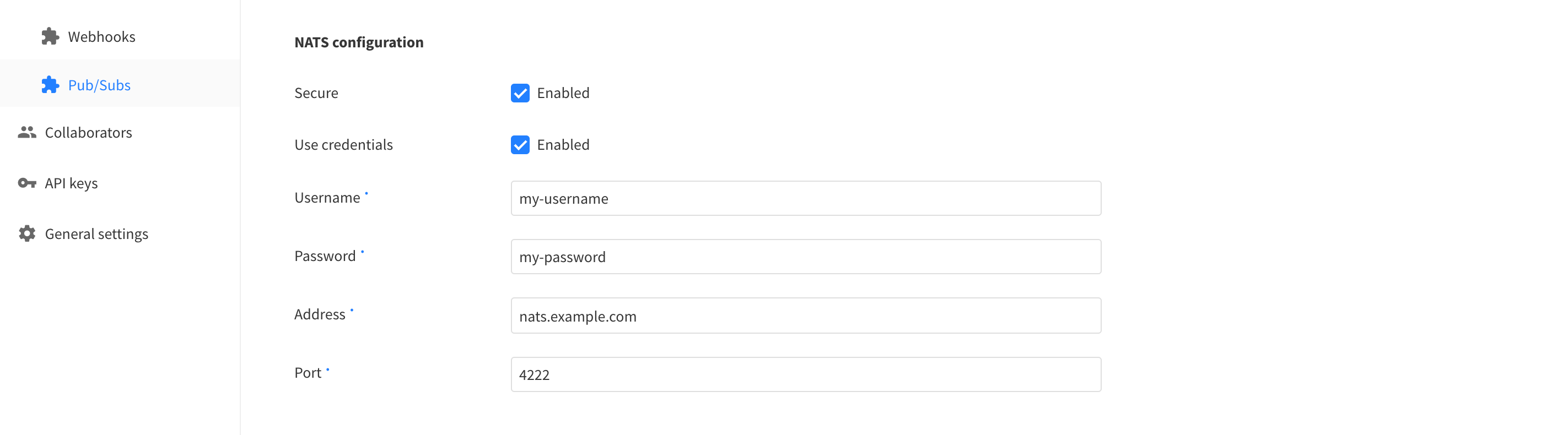
If using TLS, enable Secure.
Enable Use credentials if your NATS server requires a login. Enter the username and password the Application Server should authenticate with.
Enter the endpoint of the NATS server in the Address field, and the port in the Port field.
Message Types
The Application Server can be configured to publish and subscribe to topics for individual events. See Message Types for more information about events and topics.
After enabling events, click the Add Pub/Sub button to enable the integration.
Subscribing to Upstream Traffic
The Application Server publishes messages for any enabled events. For example, when a device sends an uplink, an uplink message is published. To view these using a nats-sub client connected to your NATS server:
nats-sub -s nats://<server_hostname>:<port> '>'
# Listening on [>]
# [#1] Received on [base-topic.uplink-subtopic] : '{"end_device_ids":{"device_id":"dev1","application_ids":{"application_id":"app1"}, "received_at":"2020-05-12T10:12:42.063941Z","uplink_message":{"session_key_id":"AXIDznz4bnQqtW8T3NsIVg==","f_port":1,"f_cnt":102,"frm_payload":"AQ=="}]}'
Scheduling Downlinks
You can schedule downlink messages by publishing to a topic. For example, using a nats-pub client connected to your NATS server:
nats-pub -s nats://<server_hostname>:<port> base-topic.push-subtopic '{"end_device_ids":{"device_id":"dev1","application_ids":{"application_id":"app1"}},"downlinks":[{"f_port":1,"frm_payload":"AA==","priority":"NORMAL"}]}'
will push a downlink to the end device dev1 of the application app1 with a base64 encoded payload of AA==, if push-subtopicis configured as the Sub topic for Downlink queue push.
This will also result in the following message being published by the Application Server:
# Received on [downlink-queued-subtopic] :
'{"end_device_ids":{"device_id":"dev1","application_ids":{"application_id":"app1"}},"correlation_ids":["as:downlink:01DAVNFG65NAMC5DMX0GFJ8CSK"],"downlink_queued":{"f_port":1,"frm_payload":"AQ==","priority":"NORMAL","correlation_ids":["as:downlink:01DAVNFG65NAMC5DMX0GFJ8CSK"]}}'